
We’re thrilled to introduce the Linkers Client Dashboard — a smarter, faster, and more seamless way to evaluate and hire remote talent.
Starting today, everything happens inside your personalized Linkers Portal, built to give you full visibility and control over every step of the hiring process.
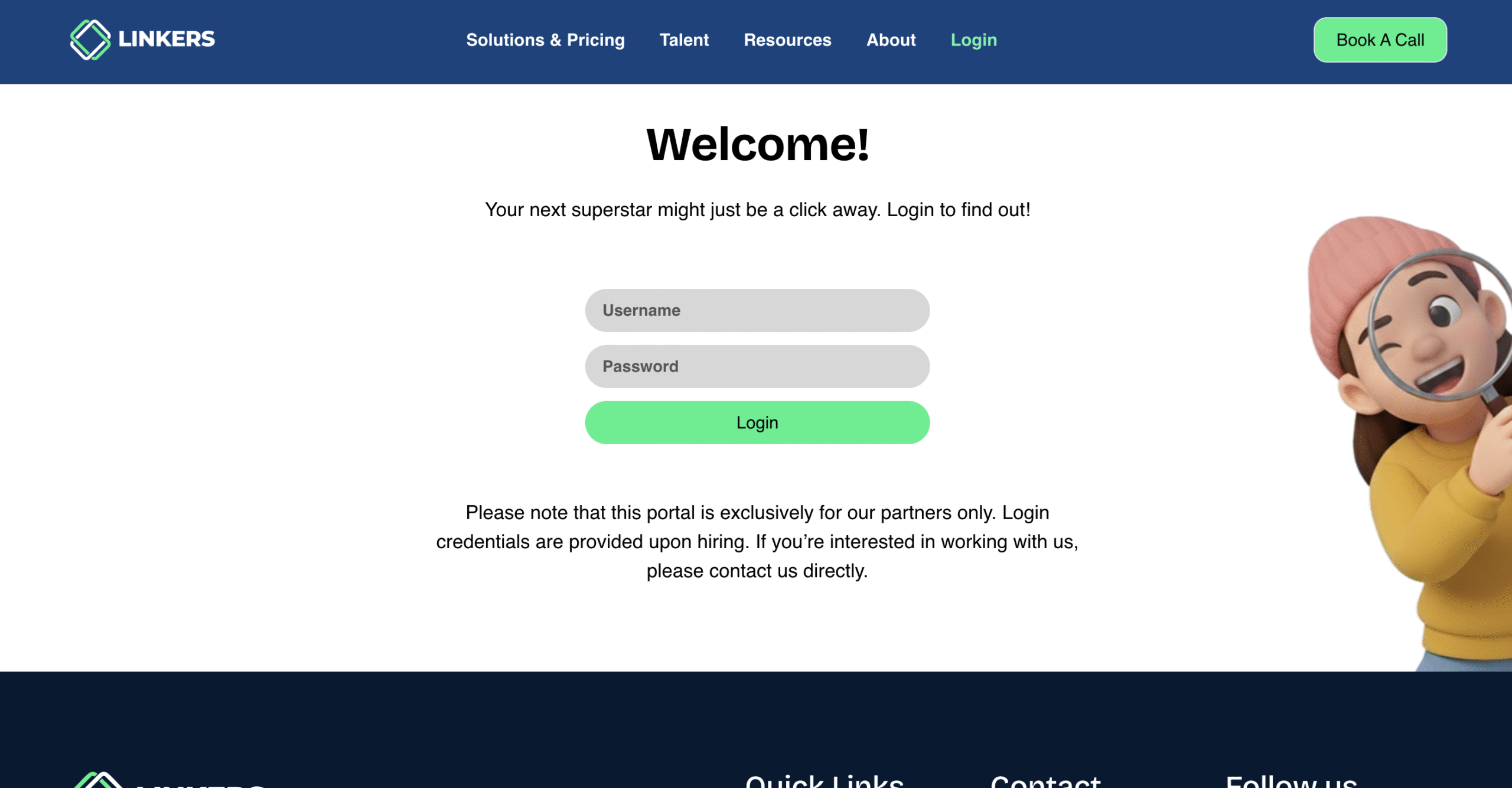
How It Works
Step 1: Share your position details and requirements with our team.
Step 2: We screen, interview, and evaluate the most suitable candidates.
Step 3: We upload the shortlisted candidates to your Linkers Dashboard and provide your login credentials.
Inside your dashboard, you can:
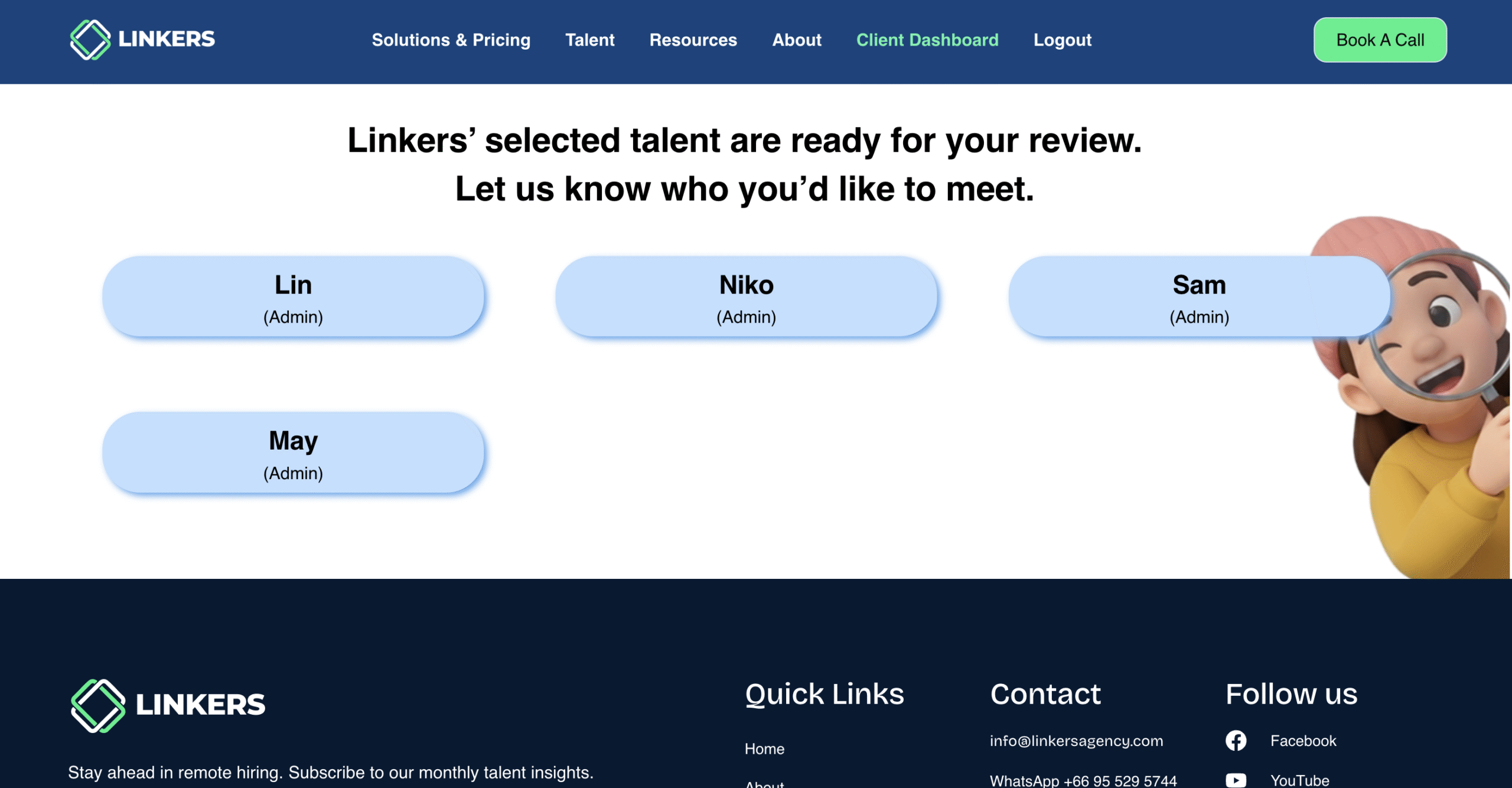
1.View detailed candidate profiles
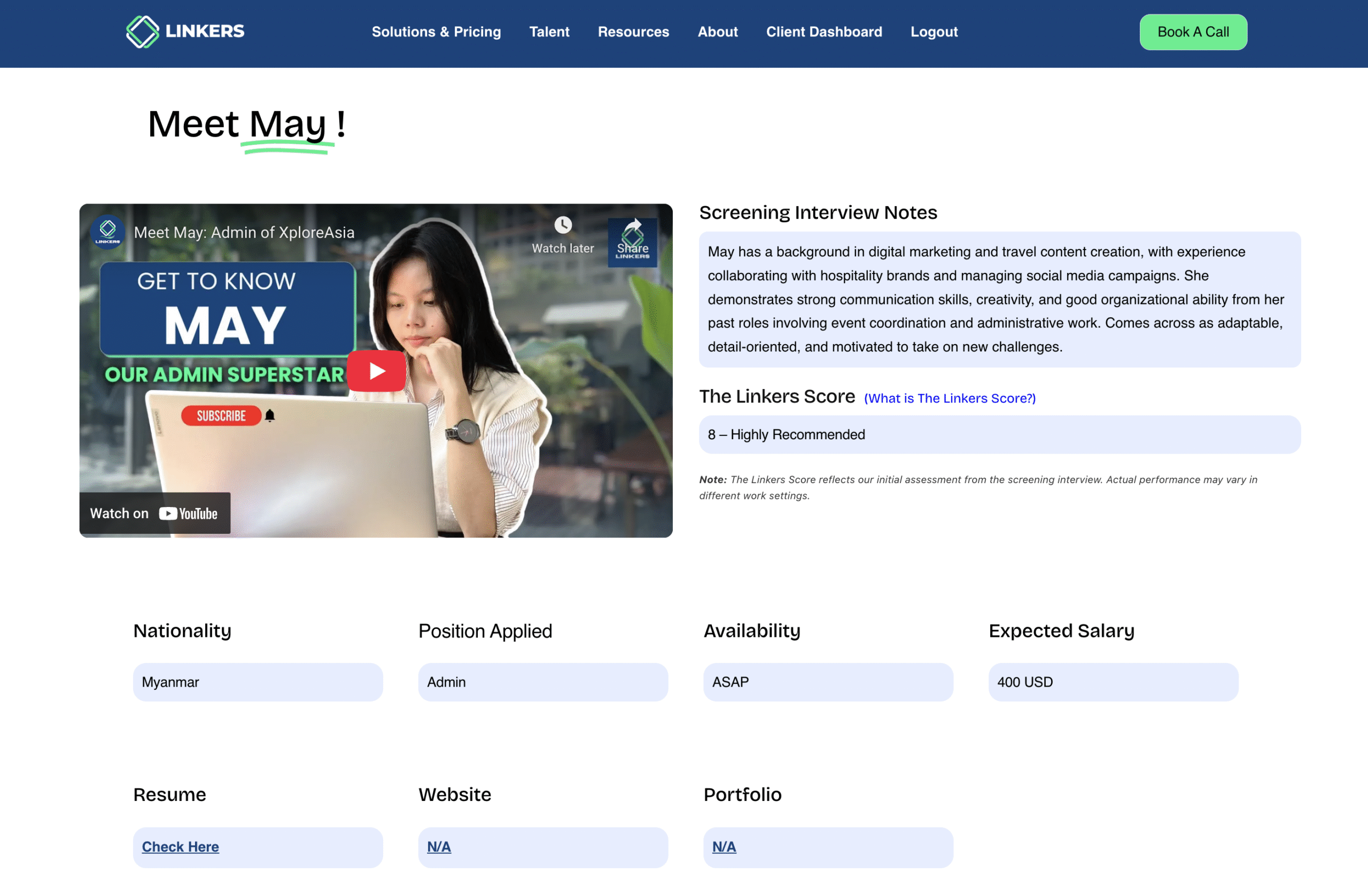
2. Review each candidate’s résumé, introduction video, Linkers Score, Screening Interview Notes and other key details — all in one place, giving you a complete view of their skills and suitability before making your selection.
3. Decide whether to schedule an interview or assign a trial task
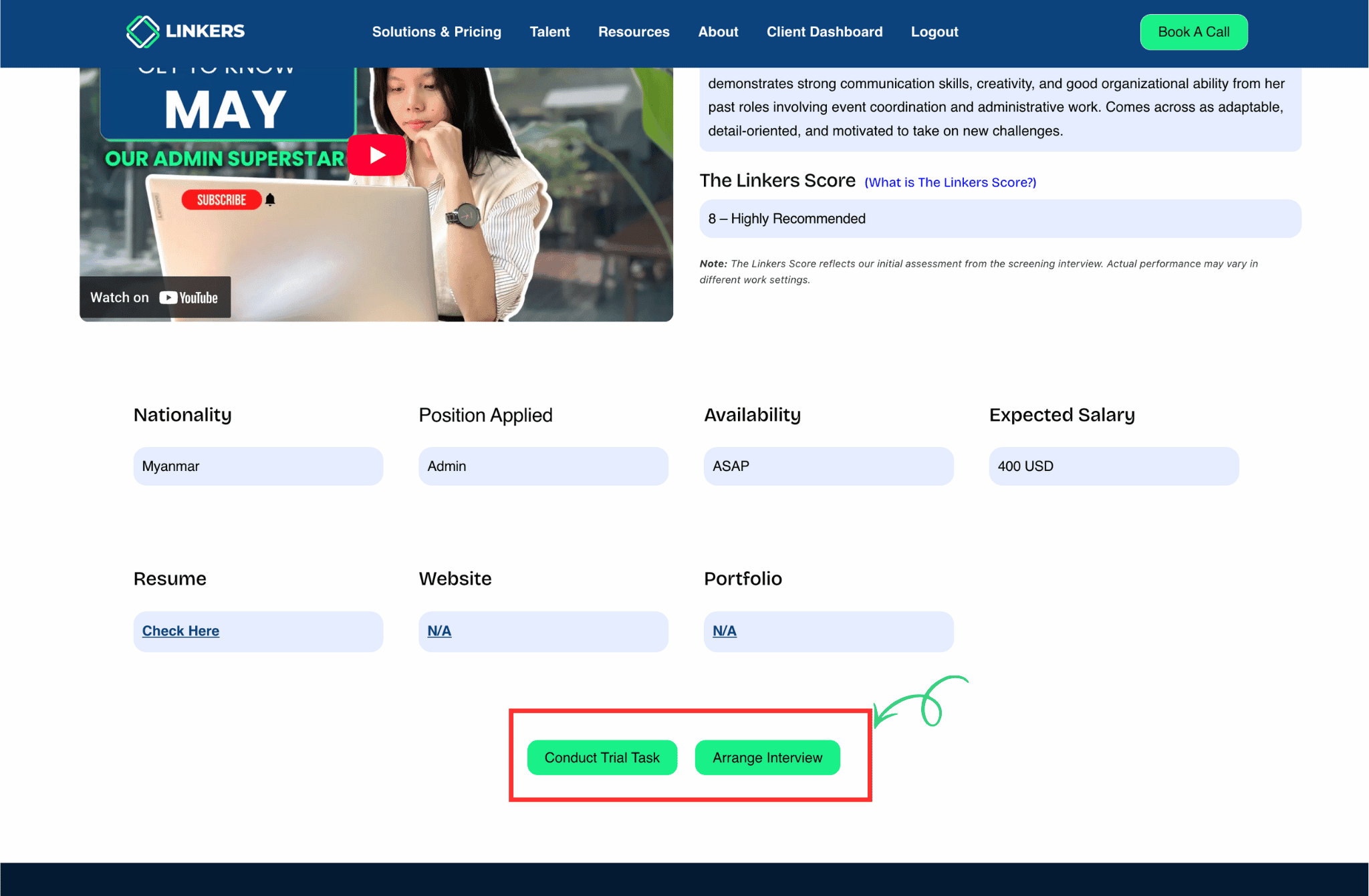
4. If you’d like to conduct a trial task, simply tap “Conduct Trial Task.” You’ll then be prompted to choose whether you already have a task prepared.
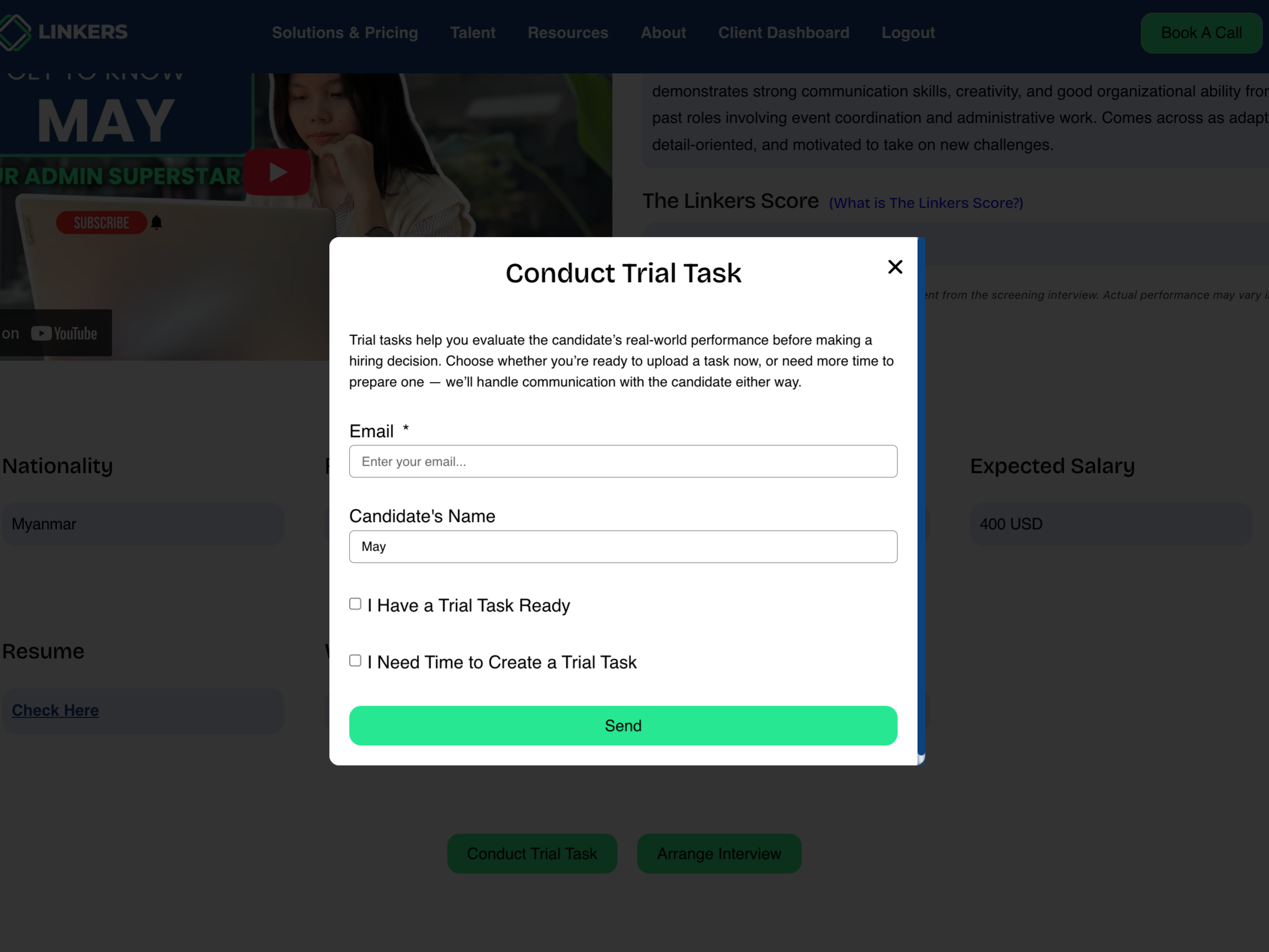
5. If you prefer to conduct an interview only, simply provide your available time slots (up to three), and our team will coordinate the schedule with the candidate on your behalf.

We’re always finding new ways to make your hiring journey simple, seamless, and smarter.
No more back-and-forth emails or scattered documents. Just a smooth, transparent, and data-driven hiring experience designed for speed and clarity.
Because when hiring is easier, you can focus on what truly matters — growing your business.
Start your remote hiring with Linkers today!